
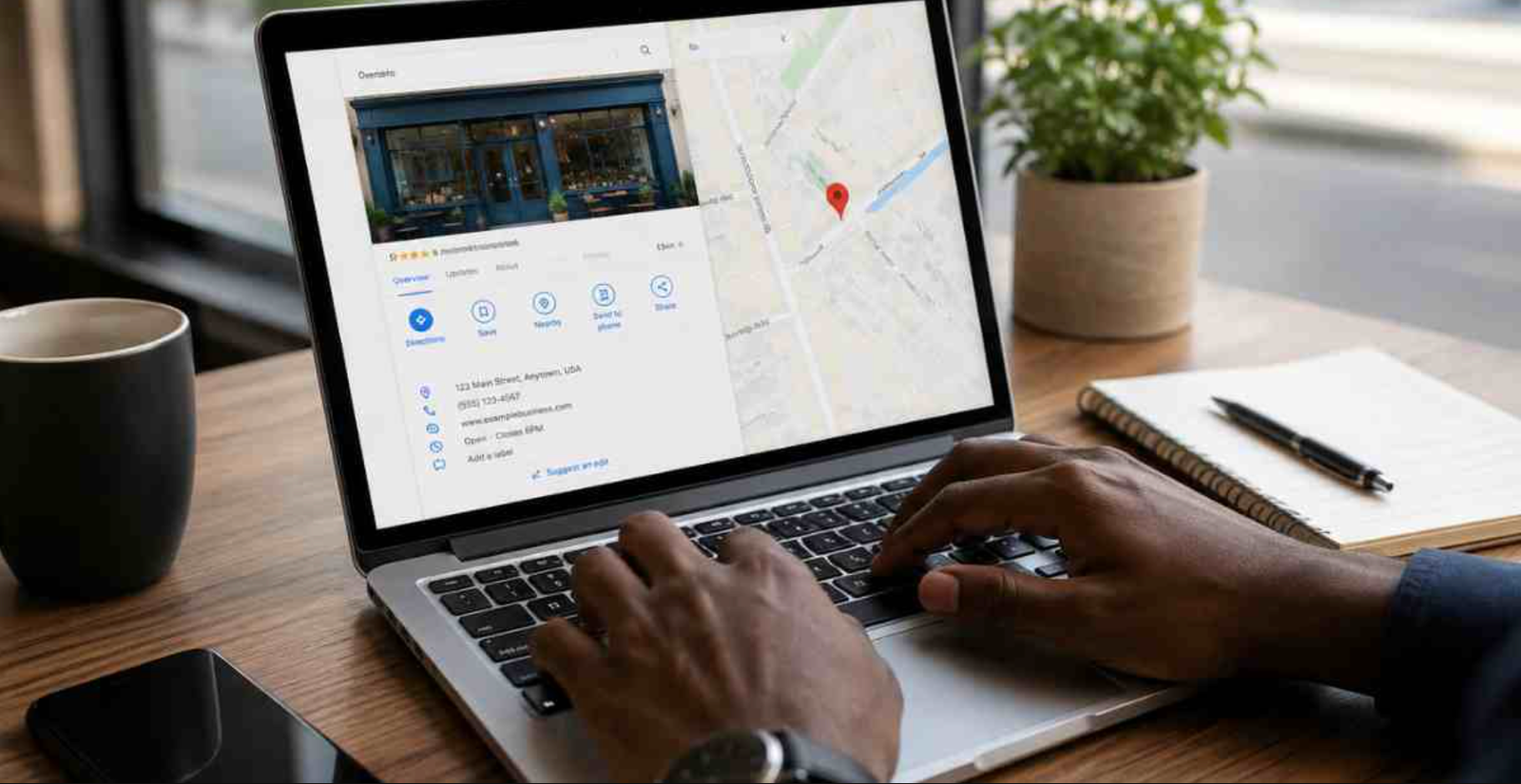
A Google Business Profile provides an efficient pathway for consumers to discover an enterprise on Google Search and Maps. According to data from the 2026 BrightLocal SMB Marketing Report, only 35% of small and medium sized firms maintain an active listing. This statistical gap presents a significant market opportunity for organisations looking to capture local demand.
Establishing a highly optimised online profile delivers a distinct competitive edge by enhancing geographic reach and drawing new client traffic. This comprehensive guide outlines the exact process to launch a profile in eight strategic steps alongside actionable methodologies for maximum visibility.
Key Takeaways
- Establish the profile accurately to boost placement across search queries and map listings.
- Complete every section meticulously to fortify local search engine ranking.
- Maintain current operational details, fresh imagery and timely publications to preserve consumer trust.
- Manage customer feedback actively and assess analytics to convert profile traffic into steady business growth.
What Is a Google Business Profile?
A Google Business Profile serves as a complimentary public listing designed to help audiences locate enterprises through regional searches. The platform consolidates vital data including the corporate name, physical location, telephone contacts, digital addresses, operating schedules, imagery, available inventory and consumer reviews into a singular accessible layout.
Far beyond a basic directory listing, this asset functions as an impactful regional marketing mechanism. It amplifies visibility within local search brackets, fosters organizational credibility via public feedback and simplifies consumer actions such as phone inquiries, physical visits, appointment scheduling or navigation requests.
Whether an executive oversees a storefront retail shop, a dining establishment, a corporate consultancy or a mobile service firm, a properly managed profile amplifies digital presence and attracts highly qualified regional client traffic.
How Does a Google Business Profile Work?
The platform serves as a virtual front door on the web. Once an administrator configures and verifies the listing, Google presents these corporate details to users seeking matching commodities or services within that specific geographic zone.
Higher levels of completeness, accuracy and activity directly correlate with superior placement opportunities across local search outcomes and map views.
- Step 1: Profile Creation: An administrator authenticates using a Google account and inputs core corporate metrics such as the official title, primary field, location and communication lines.
- Step 2: Business Verification: Google authenticates the legitimacy of the operation using methods like video uploads, phone calls, electronic mail or physical postal mail codes.
- Step 3: Information Publication: Following successful verification, the listing goes live on search indexes and map applications to facilitate organic discovery.
- Step 4: Interaction Management: The public interface highlights telephone options, web links, operational hours and driving directions to streamline consumer connection.
- Step 5: Regular Maintenance: Administrators adjust hours, list new inventory, upload media and publish regular updates while replying to feedback to sustain profile relevance.
- Step 6: Visibility Enhancement: Accumulating precise descriptions, modern content and favourable ratings encourages search algorithms to highlight the firm for relevant regional queries.
Google Business Profile Compared with Google Maps
Though audiences frequently conflate these terms, the two platforms serve distinct functions. The business profile is the administrative utility used to govern corporate details, whereas the map interface represents the external display layer where consumers encounter that information.
| Feature Profile | Google Business Profile | Google Maps |
| Core Definition | A complimentary administrative utility for managing corporate records | A navigation and exploration application displaying physical points of interest |
| Primary Function | Permits updates to location data, hours, media and service listings | Displays location coordinates, user reviews and key details to seekers |
| Primary User | Managed directly by corporate owners and authorized personnel | Utilised by general consumers to locate facilities and obtain directions |
| Analytical Capabilities | Contains performance metrics and administrative adjustment tools | Centres exclusively on geographical positioning and user navigation |
| Access Requirements | Demands rigorous verification before administrative features unlock | Reflects verified data assets transmitted from the profile system |
Google Business Profile Compared with Google Ads
Both tools amplify digital prominence on search pages, but their underlying mechanisms differ fundamentally. A business profile secures organic positioning within localized search brackets at no cost, while the advertising platform requires a designated budget to secure premium placements across commercial display spaces.
| Operational Dynamic | Google Business Profile | Google Ads |
| Financial Cost | Free to initiate, configure and maintain indefinitely | Paid advertising framework governed by bidding and budgets |
| Traffic Source | Boosts positioning within organic local results and map views | Positions sponsored messages above or alongside unpaid findings |
| Strategic Goal | Ideal for constructing sustainable local authority and trust | Ideal for triggering immediate inbound web traffic or sales volumes |
| Growth Drivers | Relies heavily on listing completion, reviews and regional optimisation | Relies on campaign parameters, target phrases and financial allocation |
| Long Term Value | Generates ongoing consumer actions without per click charges | Requires ongoing fees for every consumer engagement or click recorded |
For most enterprises, a blended approach yields the finest returns. A well managed profile establishes permanent regional authority, while targeted paid campaigns deliver rapid acquisition spikes during product launches or seasonal promotions.
Who Eligible to Establish a Profile?
Eligibility applies exclusively to operations that maintain direct, in person contact with clients during standard working hours. This encompasses traditional brick and mortar establishments as well as mobile service providers who travel directly to client locations.
| Eligible Category | Representative Examples |
| Physical Storefront Entities | Eateries, boutique coffee spaces, retail stores, pharmacies and hotels |
| Service Area Enterprises | Plumbers, electrical contractors, cleaning agencies and landscapers |
| Professional Services | Legal practitioners, accountants, architects and corporate consultants |
| Healthcare Practitioners | Medical doctors, dental clinics, physical therapists and opticians |
| Educational Entities | Private academies, specialized training facilities and tutoring centres |
| Hospitality Ventures | Lodges, resorts, excursion coordinators and localized travel bureaus |
| Automotive Operations | Vehicle dealerships, repair centres, tyre specialists and rental points |
| Civic Organisations | Community centres, local charities and physical assembly locations |
Operations Excluded from Eligibility
Enterprises that conduct business completely online or lack face to face client interfaces generally fail to satisfy the necessary criteria.
| Ineligible Category | Cause for Exclusion |
| Pure Electronic Commerce | They do not host visitors or deploy localized service staff |
| Affiliate Referral Networks | They function as informational portals rather than local operations |
| Software as a Service Firms | They deliver digital items without physical consumer meetings |
| Individual Real Estate Assets | Specific homes for lease are excluded though main leasing offices qualify |
| Unopened Corporate Sites | Facilities must actively operate during the verification phase |
| Lead Procurement Portals | They lack genuine consumer facing operational infrastructure |
| Virtual Addresses | Google requires authentic physical locations or legitimate service boundaries |
Firms interacting directly with consumers at a dedicated shop or within a defined regional radius easily qualify. Purely online ventures must utilise alternative marketing pipelines, as local profiles remain restricted under current operational policies.
Information Required Prior to Setup
Assembling essential corporate details beforehand accelerates the registration phase and mitigates verification bottlenecks.
| Necessary Element | Strategic Purpose |
| Google Account | Required to launch, validate and supervise the business listing |
| Official Title | The real world name of the enterprise without spam keywords |
| Primary Category | The core classification that matches the main business activity |
| Physical Location | The exact street coordinates or defined mobile service boundaries |
| Contact Number | An active telephone line enabling direct communication |
| Website Address | A digital destination to guide traffic and elaborate on offerings |
| Operating Schedules | Clear timelines detailing when consumers can engage the team |
| Corporate Summary | A concise explanation outlining unique organizational values |
| Branding Media | Clear logo designs and cover media to establish recognition |
| Operational Photos | Visuals of the workspace, personnel or completed projects |
| Inventory Records | Lists of primary commodities or services provided to the public |
| Verification Records | Official paperwork or video clips confirming operational validity |
How to Set Up a Google Business Profile in 8 Steps
Executing each configuration step flawlessly ensures the profile ranks properly for localized search terms.
Step 1: Access the Administrative Account
Log into the system using a corporate Google profile. This specific login gains administrative control over the dashboard, allowing users to modify text, answer feedback and assess metrics. While a personal email works, a dedicated corporate address ensures smoother internal transitions if multiple team members require access later.
Step 2: Input the Official Corporate Name
Provide the precise name used on physical signage and documentation. Refrain from appending regional tags or promotional marketing phrases, as search guidelines penalise keyword stuffing with immediate profile suspensions. If a listing already exists under the name, claim ownership rather than generating a confusing duplicate entry.
Step 3: Identify the Main Classification
Select a primary category that best defines the main income driver or central service. If an agency handles multiple tasks, secondary categories can be appended later to capture auxiliary searches without muddying the main focus.
Step 4: Define Geographic Boundaries
Enter the complete street address if customers visit the premises. Mobile providers who visit clients at their homes should select the service area designation instead, specifying the towns or metropolitan zones they cover without making a physical street address public.
Step 5: Detail Communication Channels
Provide a functional telephone line and the official website link. Keeping these communication metrics identical across all social media pages and web directories solidifies brand authority and improves search engine confidence.
Step 6: Complete the Verification Process
Google requires validation to confirm administrative authority. Depending on the industry type and region, validation may occur via live video review, pre recorded site tours, automated phone codes or physical mailing cards containing security pins.
Step 7: Fill Out Profile Details
Once validated, complete every remaining data field. Craft an authentic corporate overview, catalogue available inventory, upload high definition logos and post pictures of the operating environment to create an inviting digital storefront.
Step 8: Execute Regular Maintenance and Optimisation
A profile requires continuous attention to sustain high rankings. Dedicate time weekly or monthly to share updates, adjust holiday operating schedules, post fresh images and provide polite replies to incoming customer reviews.
15 Practical Profile Optimisation Tips
- Populate Every Single Data Field: Leaving sections empty lowers profile strength; complete every description, hour variation and trait.
- Refine Classifications Carefully: Use one hyper accurate primary category and limit secondary tags to genuine extensions of the work.
- Standardise Directory Citations: Keep the corporate name, address and phone number formatted identically across the internet.
- Post Real Imagery Frequently: Show real team members, authentic products and actual office spaces instead of generic stock visuals.
- Draft a Natural Corporate Summary: Describe the company mission clearly without forcing unnecessary search phrases into the text.
- Incentivise Consumer Reviews: Remind happy patrons to share honest assessments online to build digital social proof.
- Acknowledge Every Review Placed: Answer positive reviews with appreciation and address negative feedback with calm professionalism.
- Publish Regular Updates: Use the posting tool to broadcast news, events, active discounts or product updates.
- Display Precise Seasonal Hours: Adjust time settings before holidays so patrons never encounter a closed door unexpectedly.
- Incorporate an Inventory Catalogue: Use the built in feature to showcase top items along with pricing details.
- Integrate Appointment Scheduling Links: Connect digital booking software directly to the profile to capture immediate reservations.
- Study Performance Metrics: Evaluate monthly analytics to see which terms lead people to call or request map directions.
- Address Public Inquiries Quickly: Keep track of the public questions section to provide accurate details before others answer poorly.
- Process Structural Changes Instantly: Update telephone numbers or web addresses the moment an internal shift occurs.
- Conduct Quarterly Audits: Periodically review the entire layout to delete old images, update service menus and check map pin positions.
Common Operational Errors to Evade
- Altering the Official Name: Adding promotional catchphrases triggers automated account suspensions.
- Selecting Random Categories: Picking popular but inaccurate classifications dilutes search relevance.
- Leaving Blanks: Incomplete entries cause prospective patrons to seek information elsewhere.
- Allowing Citation Discrepancies: Mismatched phone numbers across directories lowers search engine trust.
- Using Blurry Media: Poor visual content reflects negatively on corporate standards.
- Neglecting Feedback: Leaving reviews unaddressed suggests an inactive or indifferent management style.
- Forgetting Time Adjustments: Displaying incorrect hours alienates customers who arrive to find locked facilities.
- Spamming Duplicate Profiles: Creating multiple listings for one location fractures review scores and splits visibility.
Troubleshooting Common Profile Issues
| Identified Problem | Probable Root Cause | Recommended Solution |
| Listing Absent from Search Results | The verification step is incomplete or pending system approval | Conclude the required validation steps and allow processing time |
| Validation Delayed Significantly | System checks are taking longer or documentation is missing | Review instructions carefully and avoid major edits during reviews |
| Profile Suspended Automatically | Content violates quality policies or contains suspicious details | Rectify policy breaches and submit an official reinstatement appeal |
| Administrative Access Denied | The user is logged into an alternate or unapproved Google account | Log into the proper account or request transfer from the original creator |
| Duplicate Listings Found | Multiple entries exist for a singular physical operation | Request a merger or ask support to remove the redundant entry |
| Missing Customer Feedback | Content was flagged for violating review rules or is stuck in moderation | Ensure feedback complies with guidelines before requesting a manual review |
| Map Pin Position Inaccurate | Street text was misinterpreted by automated mapping software | Open the location editor and manually drag the pin to the correct roof |
Conclusion
Configuring a Google Business Profile represents one of the most practical actions an enterprise can take to scale regional visibility and secure local market share. Treating this resource as a live marketing asset guarantees a steady return on investment by constantly introducing the organization to nearby consumers.